
You can not select more than 25 topics
Topics must start with a letter or number, can include dashes ('-') and can be up to 35 characters long.
 Eugenio Parodi
b7aaef8acf
Eugenio Parodi
b7aaef8acf
|
5 years ago | |
|---|---|---|
| .github/workflows | 5 years ago | |
| TermTk | 5 years ago | |
| demo | 5 years ago | |
| docs | 5 years ago | |
| tests | 5 years ago | |
| tools | 5 years ago | |
| tutorial | 5 years ago | |
| .gitignore | 5 years ago | |
| LICENSE | 5 years ago | |
| Makefile | 5 years ago | |
| README.md | 5 years ago | |
| setup.py | 5 years ago | |
README.md







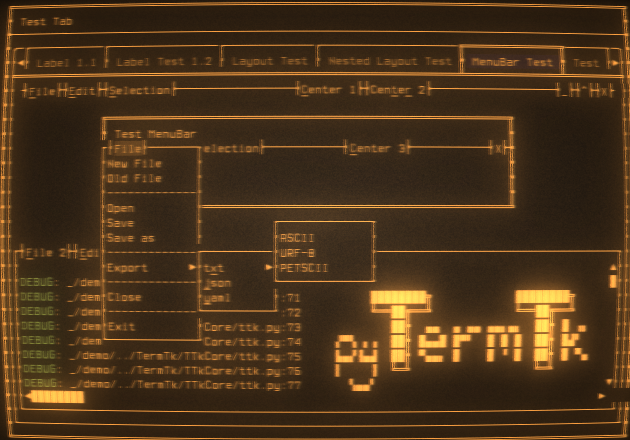
python Terminal Toolkit
Text-based user interface library (TUI) Evolved from the discontinued project pyCuT and inspired by a mix of Qt5,GTK, and tkinter api definition with a touch of personal interpretation

Features
- Basic widgets for TUI development (Button, Label, checkbox, ...)
- Specialized widgets to improve the usability (Windows, Frames, Tables, ...)
- QT Like Layout system to help arrange the widgets in the terminal
- True color support
- [TBD] Fullsize/Halfsize UTF-8 characters
Limitations
- Only the key combinations forwarded by the terminal emulator used are detected (ALT,CTRL may not be handled)
Try
Works better on repl.it
But you can try it here:
(the console has some terminal size issues, better to run on the shell python3 demo/demo.py -f)
Tutorial
Be inspired by the tutorial examples
Api Definitions
Don't get bored by the Api Definitions
Install/Upgrade
pip3 install --upgrade pyTermTk
Quick Test/Try - no install required
Clone
clone git@github.com:ceccopierangiolieugenio/pyTermTk.git
cd pyTermTk
Run Basic (non ui) input test
python3 tests/test.input.py
Run demo
# Press CTRL-C to exit
# the logs are written to "session.log"
make runDemo
  # or
python3 demo/demo.py -f

# Try gittk
make runGittk
Profiling
cProfile, cProfilev
python3 -m cProfile -o profiler.txt tests/test.ui.004.py

# install cprofilev:
#     pip3 install cprofilev
cprofilev -f profiler.txt
# open http://127.0.0.1:4000
pyroscope
pyroscope can be used as well for profiling