



[](https://github.com/ceccopierangiolieugenio/pyTermTk/actions?query=workflow%3Atesting)
[](https://pypi.org/project/pyTermTk)
[](https://twitter.com/hashtag/pyTermTk?src=hashtag_click& f=live)
[](https://pypi.org/project/pyTermTk)
## [python Terminal Toolkit](https://github.com/ceccopierangiolieugenio/pyTermTk)
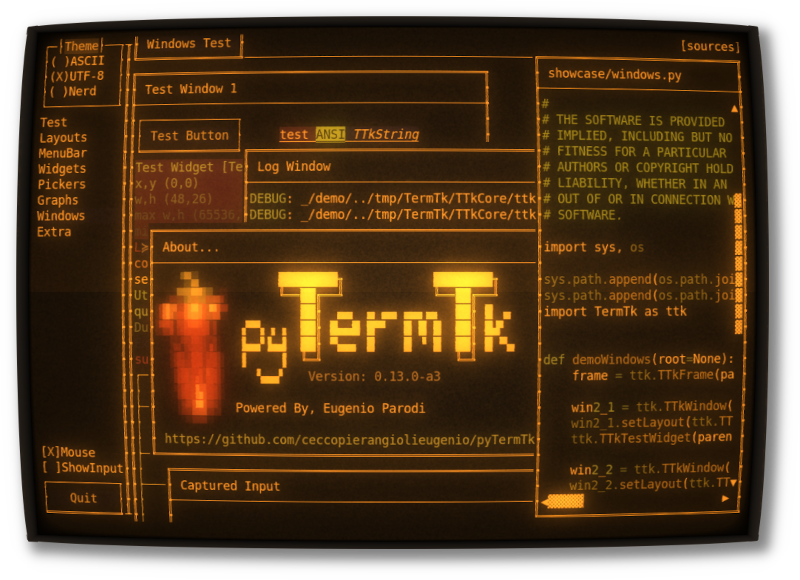
Text-based user interface library ([TUI](https://en.wikipedia.org/wiki/Text-based_user_interface))
Evolved from the discontinued project [pyCuT ](https://github.com/ceccopierangiolieugenio/pyCuT )
and inspired by a mix of [Qt5 ](https://www.riverbankcomputing.com/static/Docs/PyQt5/ ),[GTK](https://pygobject.readthedocs.io/en/latest/), and [tkinter ](https://docs.python.org/3/library/tkinter.html ) api definition with a touch of personal interpretation
[](https://pypi.org/project/pyTermTk)
## Features
- Basic widgets for [TUI ](https://en.wikipedia.org/wiki/Text-based_user_interface ) development (Button, Label, checkbox, ...)
- Specialized widgets to improve the usability (Windows, Frames, Tables, ...)
- QT Like Layout system to help arrange the widgets in the terminal
- True color support
- [TBD] Fullsize/Halfsize UTF-8 characters
## Limitations
- The native **Windows** porting is not ready yet but it works with [Cygwin ](https://www.cygwin.com ) or **WSL** .
- Only the key combinations forwarded by the terminal emulator used are detected (ALT,CTRL may not be handled)
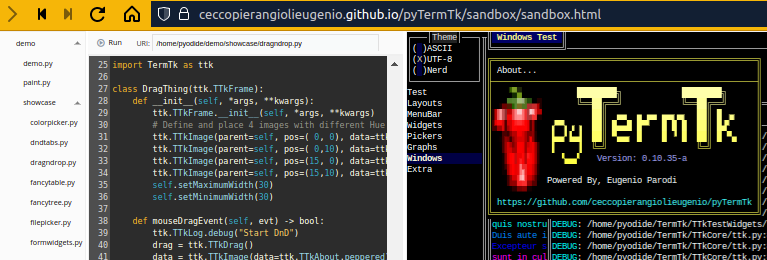
## Try the [Sandbox](https://ceccopierangiolieugenio.github.io/pyTermTk/sandbox/sandbox.html) straight from your browser
[](https://ceccopierangiolieugenio.github.io/pyTermTk/sandbox/sandbox.html)
Powered by [Pyodide ](https://pyodide.org/ ) and [xterm.js ](https://xtermjs.org/ ) and [CodeMirror5 ](https://codemirror.net/5/ ) and [w2ui ](https://w2ui.com/ )
## [Tutorial](tutorial)
Be inspired by the [tutorial examples ](https://github.com/ceccopierangiolieugenio/pyTermTk/tree/main/tutorial )
## [Api Definitions](https://ceccopierangiolieugenio.github.io/pyTermTk/)
Don't get bored by the [Api Definitions ](https://ceccopierangiolieugenio.github.io/pyTermTk/ )
## Install/Upgrade
[pyTermTk ](https://github.com/ceccopierangiolieugenio/pyTermTk ) is available on [PyPI ](https://pypi.org/project/pyTermTk/ )
```bash
pip3 install --upgrade pyTermTk
```
## Quick Test/Try - no install required
#### Clone
```bash
clone https://github.com/ceccopierangiolieugenio/pyTermTk.git
cd pyTermTk
```
#### Run Basic (non ui) input test
```bash
python3 tests/test.input.py
```
#### Demos
```bash
# Press CTRL-C to exit
# the logs are written to "session.log"
# add "-f" option to run it in "fullscreen" :-D
# Showcase Demo
python3 demo/demo.py -f
# Paint demo
python3 demo/paint.py
# VSCode like d'n d layout demo
python3 demo/ttkode.py
# early gittk demo
python3 demo/gittk.py
# Text edit with "Pygments" highlight integrated
# it require pygments
# pip install pygments
python3 tests/test.ui.018.TextEdit.Pygments.py README.md
```
#### Profiling
##### [cProfile](https://docs.python.org/3/library/profile.html), [cProfilev](https://github.com/ymichael/cprofilev)
```bash
python3 -m cProfile -o profiler.bin tests/test.ui.004.py
# install cprofilev:
# pip3 install cprofilev
cprofilev -f profiler.bin
# open http://127.0.0.1:4000
```
##### pyroscope
[pyroscope ](https://pyroscope.io/ ) can be used as well for profiling
## Projects using [pyTermTk](https://github.com/ceccopierangiolieugenio/pyTermTk)
- [tlogg ](https://github.com/ceccopierangiolieugenio/tlogg ) - A fast, advanced log explorer.
- [ttkode ](https://github.com/ceccopierangiolieugenio/ttkode ) - TerminalToolKit (Studio) Code (editor)
- [pytest-fold ](https://github.com/jeffwright13/pytest-fold ) - A Pytest plugin to make console output more manageable when there are multiple failed tests
- [pytest-tui ](https://github.com/jeffwright13/pytest-tui ) - A Text User Interface (TUI) for Pytest, automatically launched after your test run is finished
## Related Projects
- Honourable mention
- [bpytop ](https://github.com/aristocratos/bpytop ) - Linux/OSX/FreeBSD resource monitor < br >
This was the base inspiration for my core library
- Python
- [urwid ](https://github.com/urwid/urwid ) - Console user interface library for Python
- [pyTermGUI ](https://github.com/bczsalba/pytermgui ) - A simple yet powerful TUI framework for your Python (3.7+) applications
- [Textual ](https://github.com/Textualize/textual ) - TUI (Text User Interface) framework for Python inspired by modern web development
- [Rich ](https://github.com/Textualize/rich ) - Python library for rich text and beautiful formatting in the terminal
- [PyCuT ](https://github.com/ceccopierangiolieugenio/pyCuT ) - terminal graphic library loosely based on QT api (my previous failed attempt)
- [pyTooling.TerminalUI ](https://github.com/pyTooling/pyTooling.TerminalUI ) - A set of helpers to implement a text user interface (TUI) in a terminal.
- Non Python
- [Turbo Vision ](http://tvision.sourceforge.net )
- [ncurses ](https://en.wikipedia.org/wiki/Ncurses )
- [tui.el ](https://github.com/ebpa/tui.el ) - An experimental text-based UI framework for Emacs modeled after React


